Track every trade.
Improve every session.

The trading journal built for futures traders. Auto-sync every trade, analyze every account, and track the patterns keeping you from your best trading.

Auto Sync Your Trades P&L
$ 10 /Month
Save $21 — 2 months free
Features

Everything the expensive journals have.
At a price that stays in your account.

Built by a trader for traders. Every feature exists because futures traders need it — whether you're on a prop firm eval or trading your own capital.

Auto Sync
Eval FeesNet P&LTrue CostPDF Export
TrackyTrade connects directly to NinjaTrader 8 via the TrackyTradeSync indicator. Every trade logs automatically the moment it closes — entry, exit, PnL, duration, and bar data. A CSV watch folder handles every other broker. No manual entry, ever.
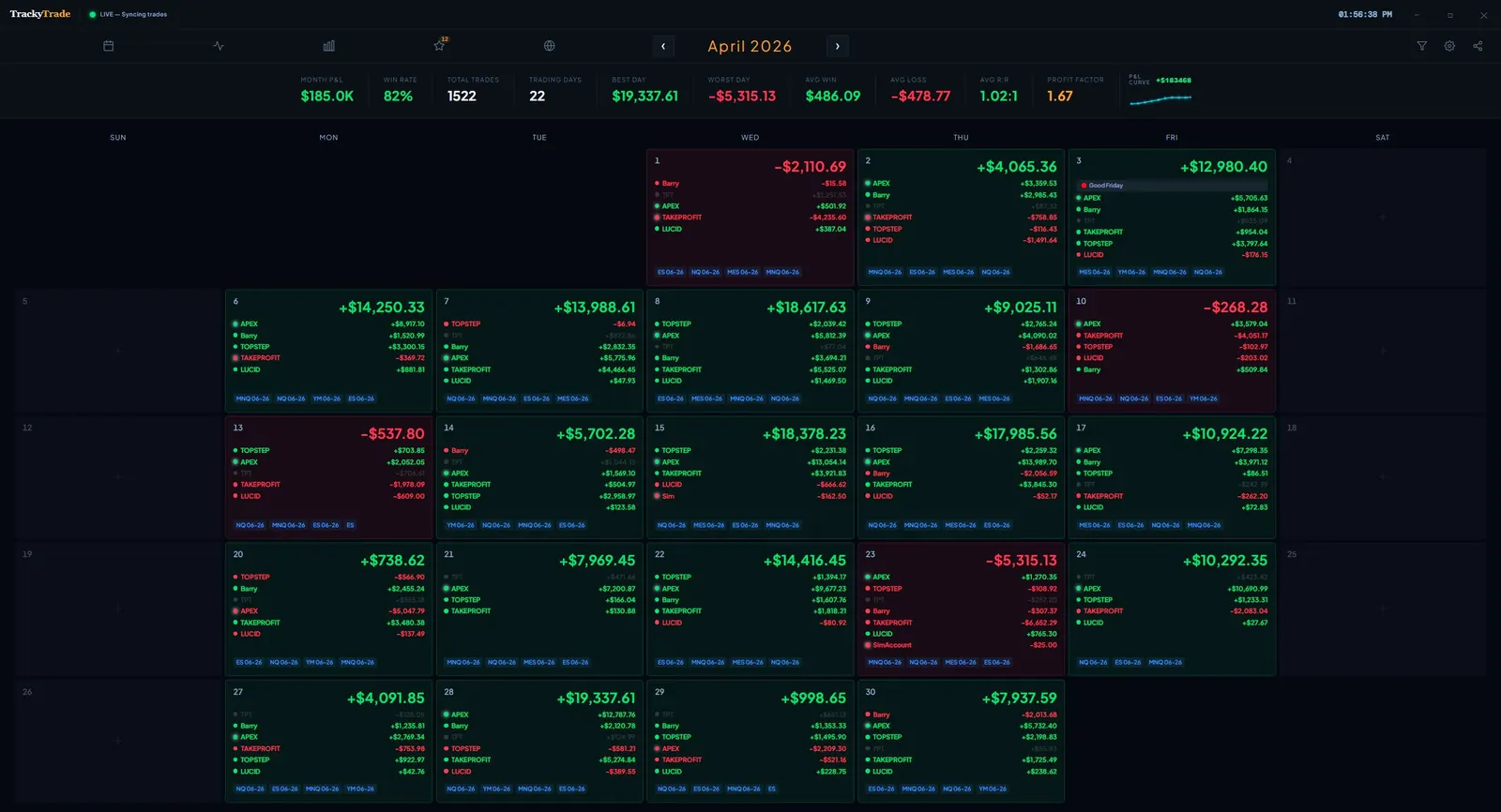
Calendar P&L View
Every Green DayEvery Red DayMonthly TotalsPer Account
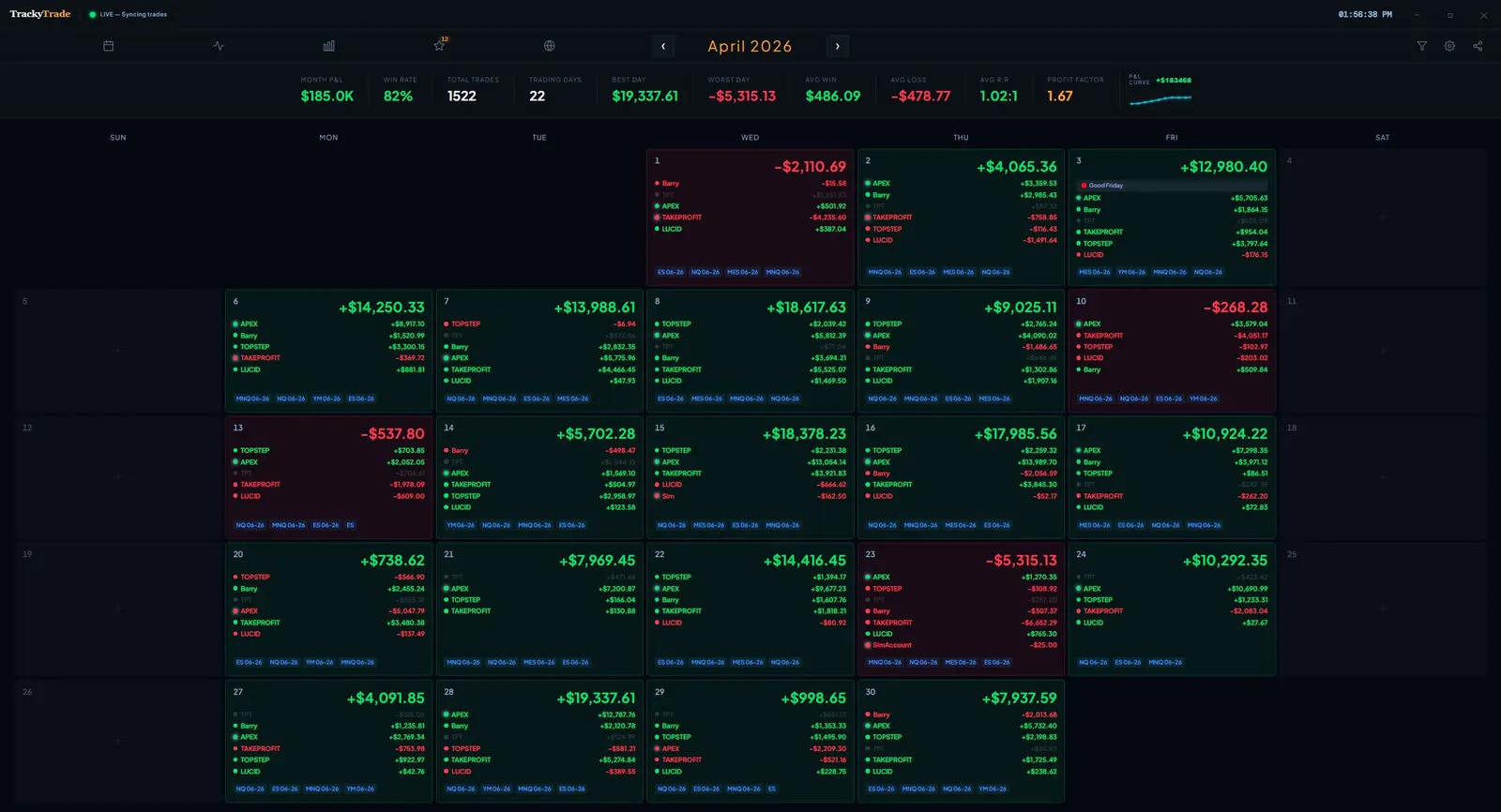
See your entire month at a glance. Each day shows your net P&L, the accounts you traded, and the instruments you were in — color-coded green and red so patterns jump out instantly. Click any day to drill down into the individual trades.
TrackyTrade Calendar P&L View
Calendar P&L View
Prop Firm Management
Multiple FirmsDrawdownPayoutsMilestones
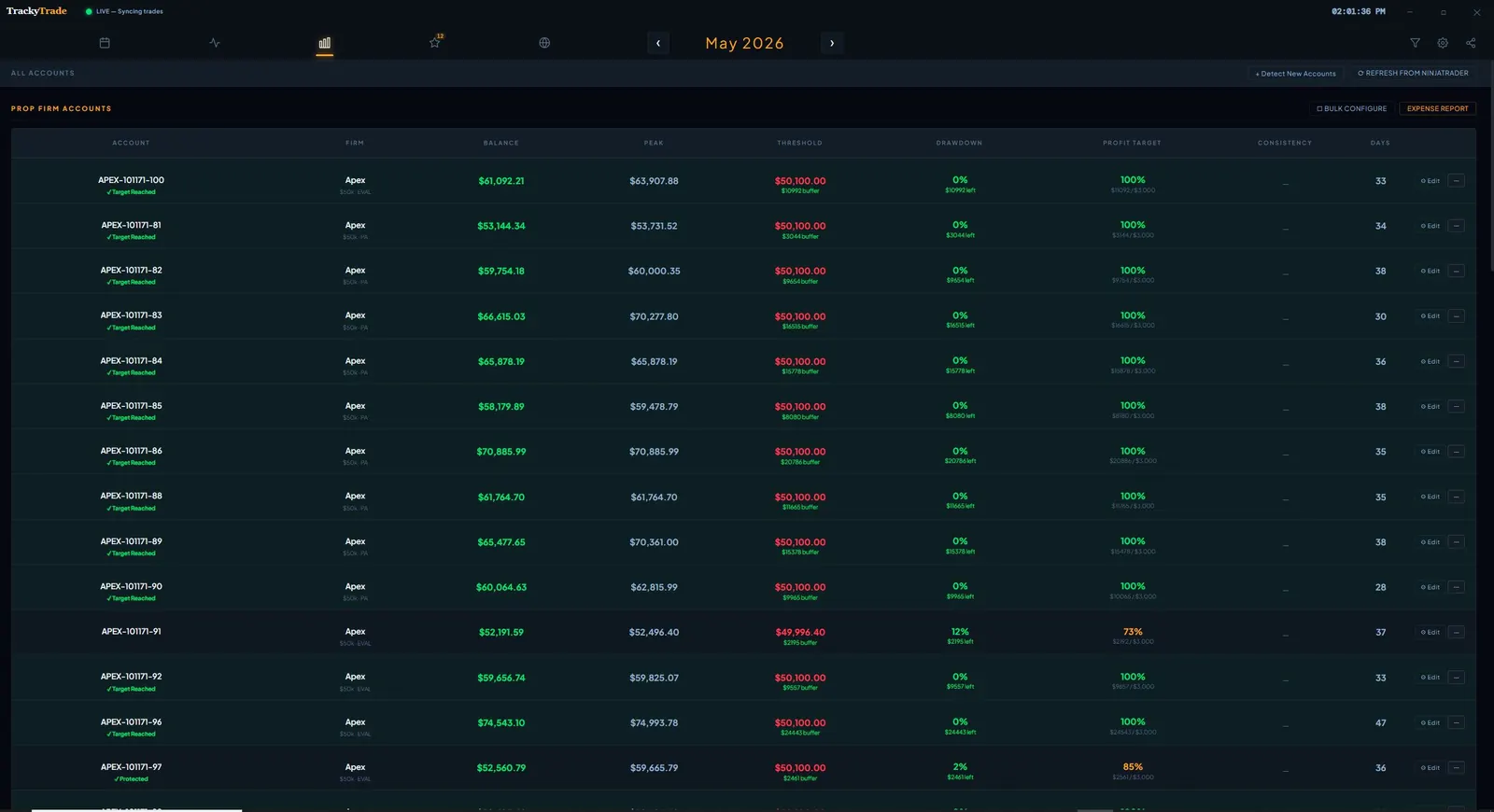
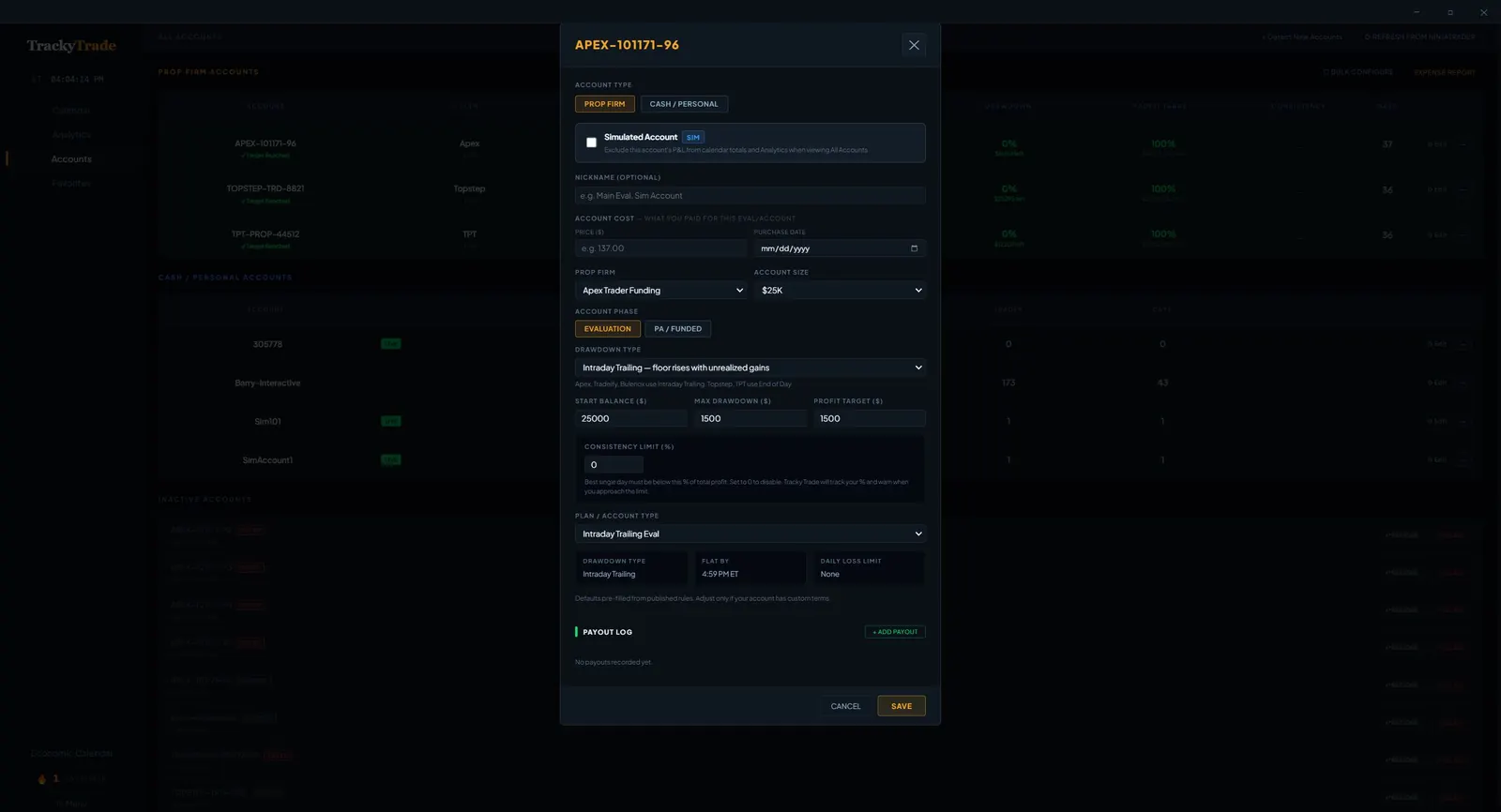
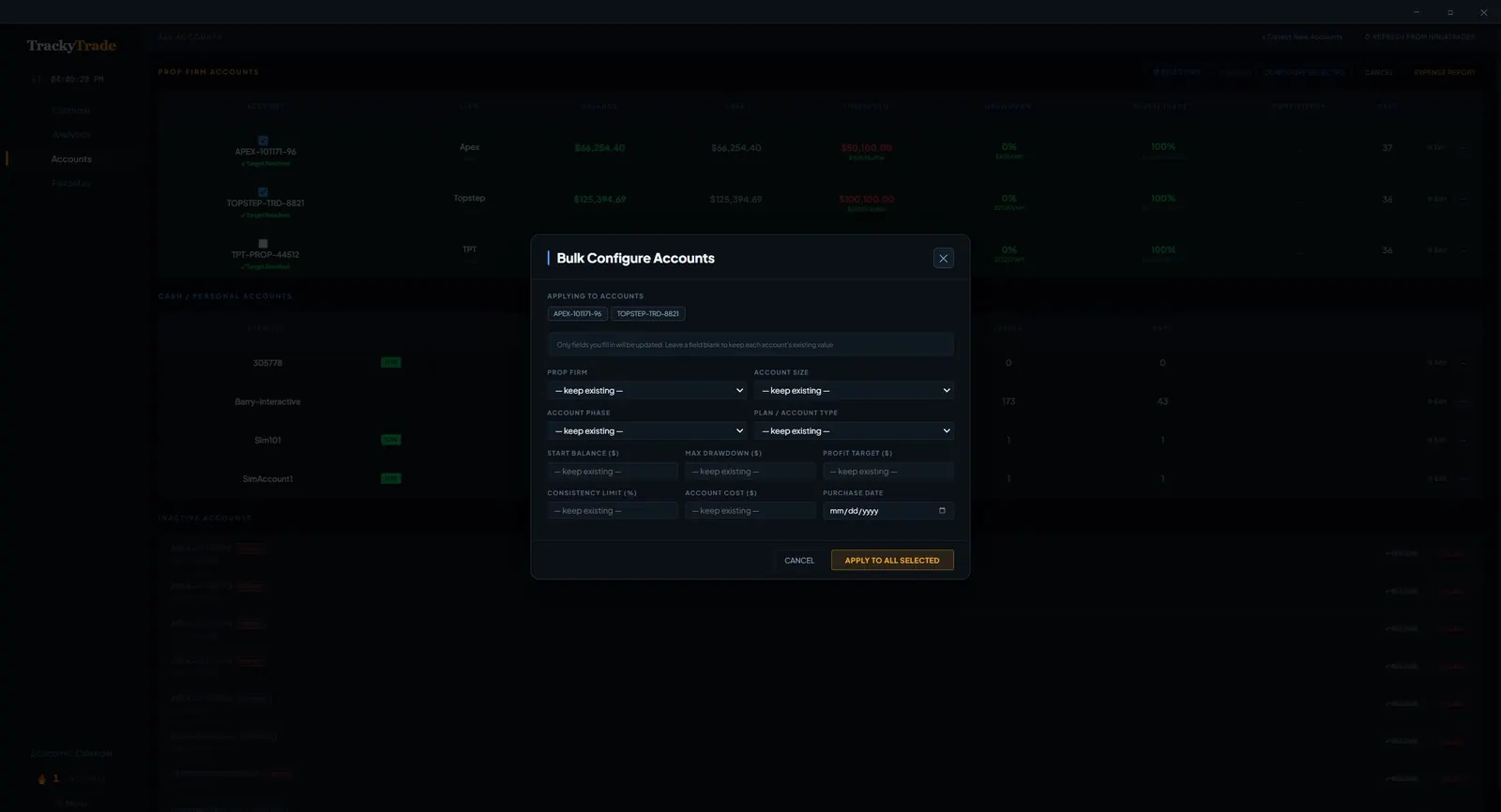
Track all your prop firm accounts in one place — Apex, Topstep, TPT, MFFU, Tradeify, TradeDay, Bulenox, FundedNext, Lucid, and more. Every prop firm setting is fully customizable: drawdown limits, consistency requirements, daily loss rules, minimum trading days, and pass/fail thresholds. TrackyTrade tells you exactly where you stand on every account in real time. Need to update settings across multiple accounts at once? Use Bulk Configure to apply firm rules to all your accounts in seconds — no clicking through each one.
TrackyTrade Account Config
Account Configuration
TrackyTrade Bulk Configure
Bulk Configure Accounts
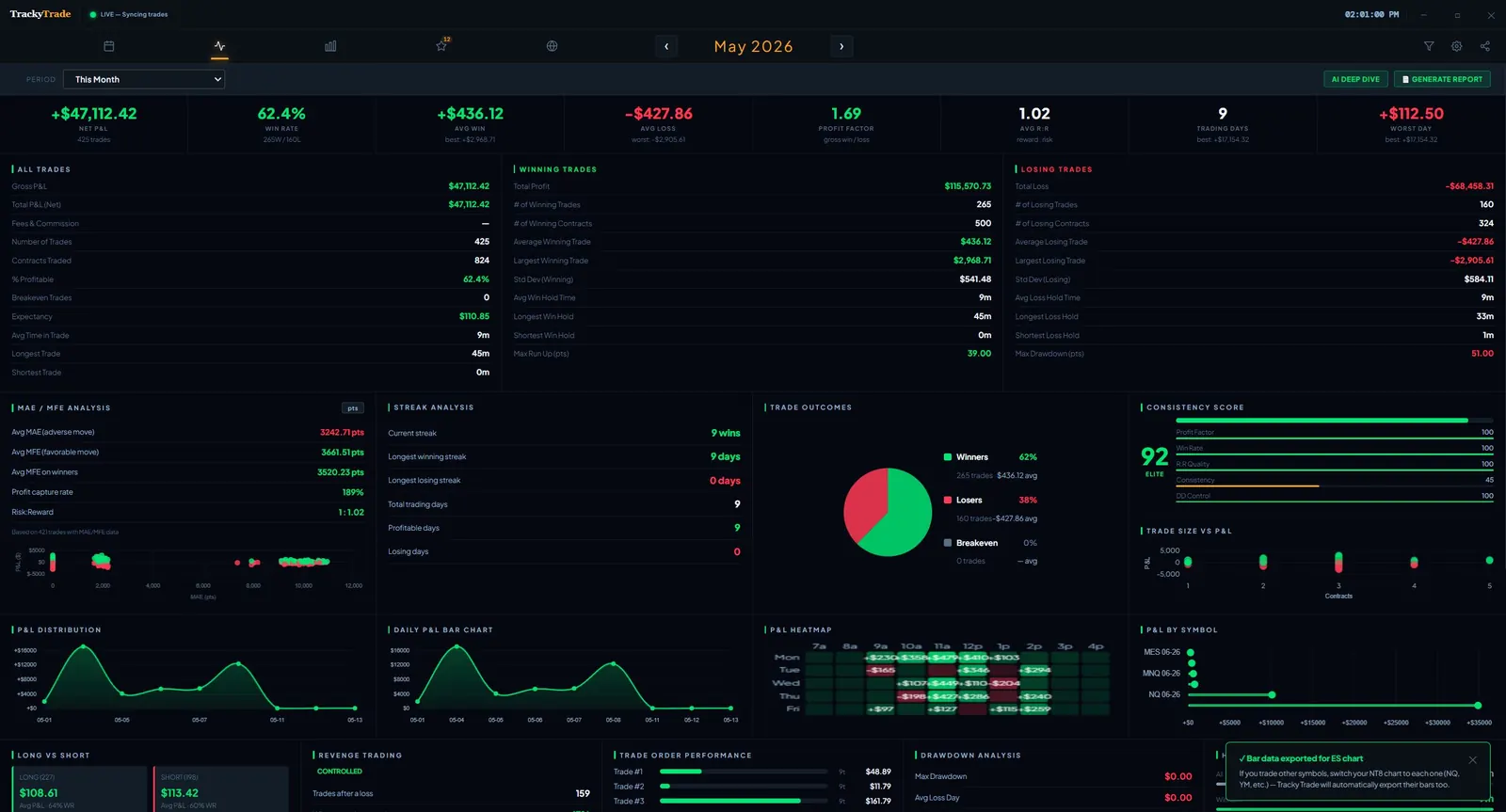
Account Analytics
Equity CurveWin RateProfit FactorMAE / MFE
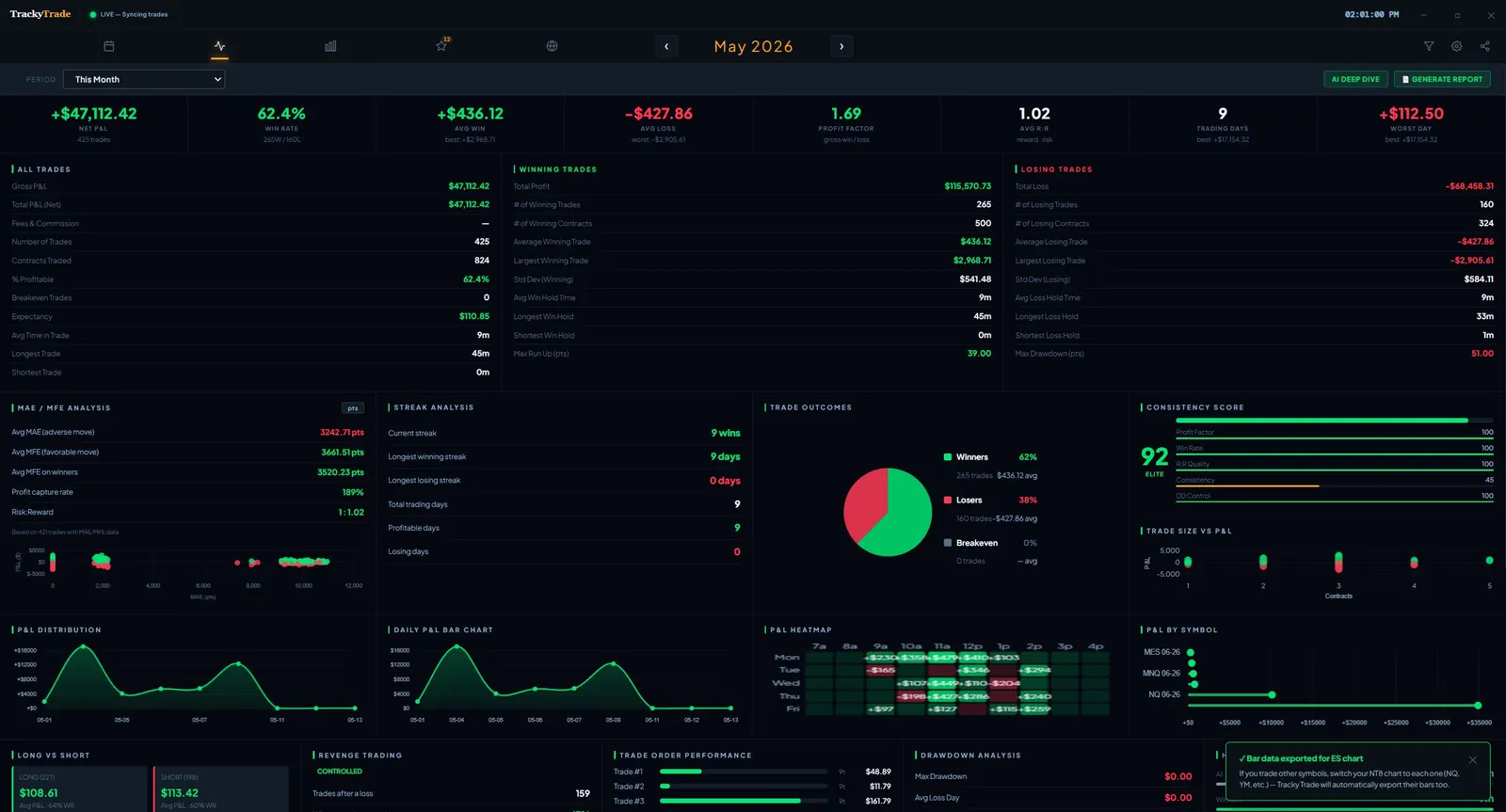
Deep analytics across all your prop accounts. Track consistency scores, win rates, best-performing accounts, and which firms your trading style suits best. Know which accounts to push and which to protect.
TrackyTrade Analytics Dashboard
Account Analytics
AI Deep Dive
Trade ScoringPattern DetectionCoaching NotesPDF Export
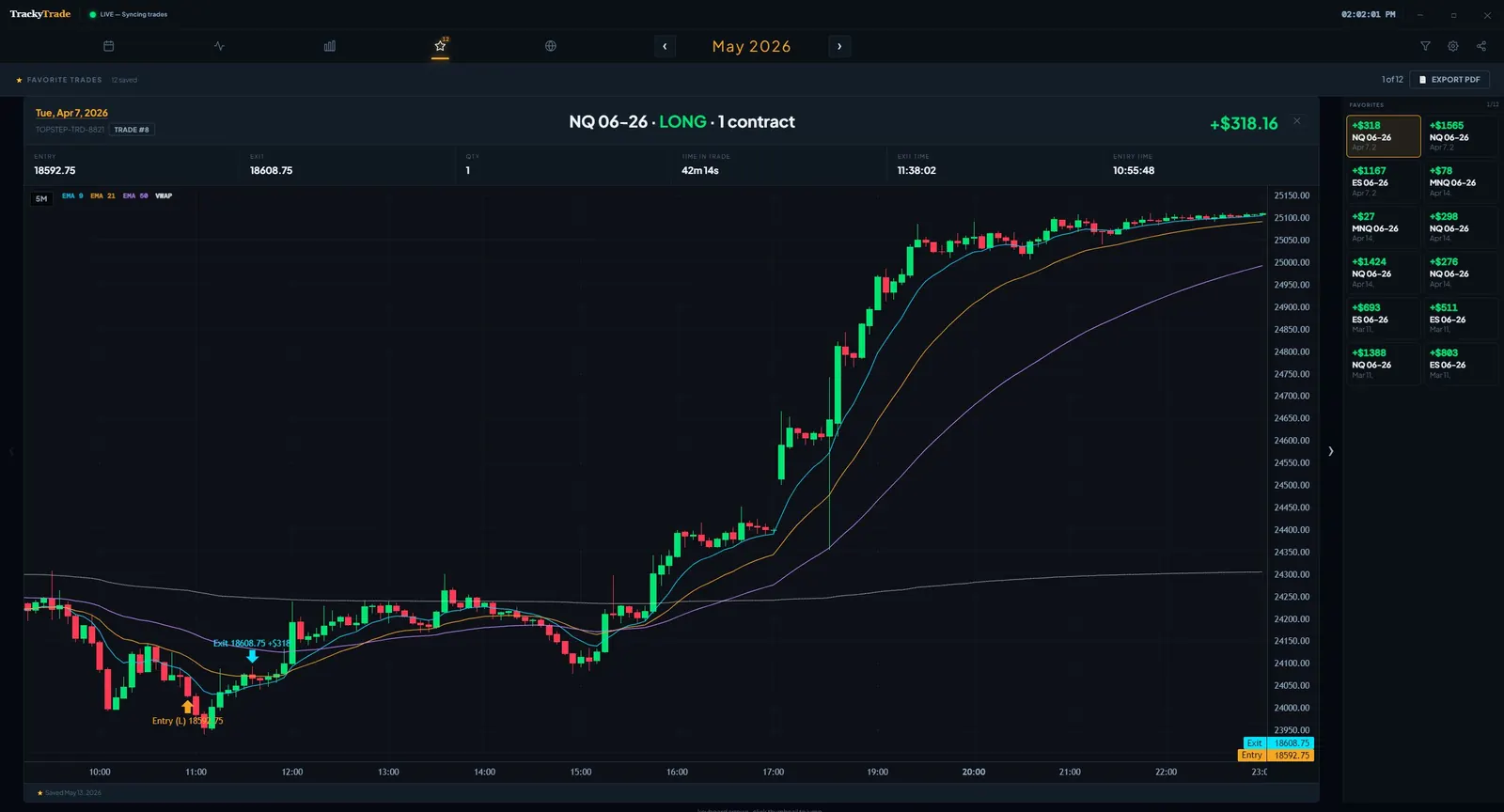
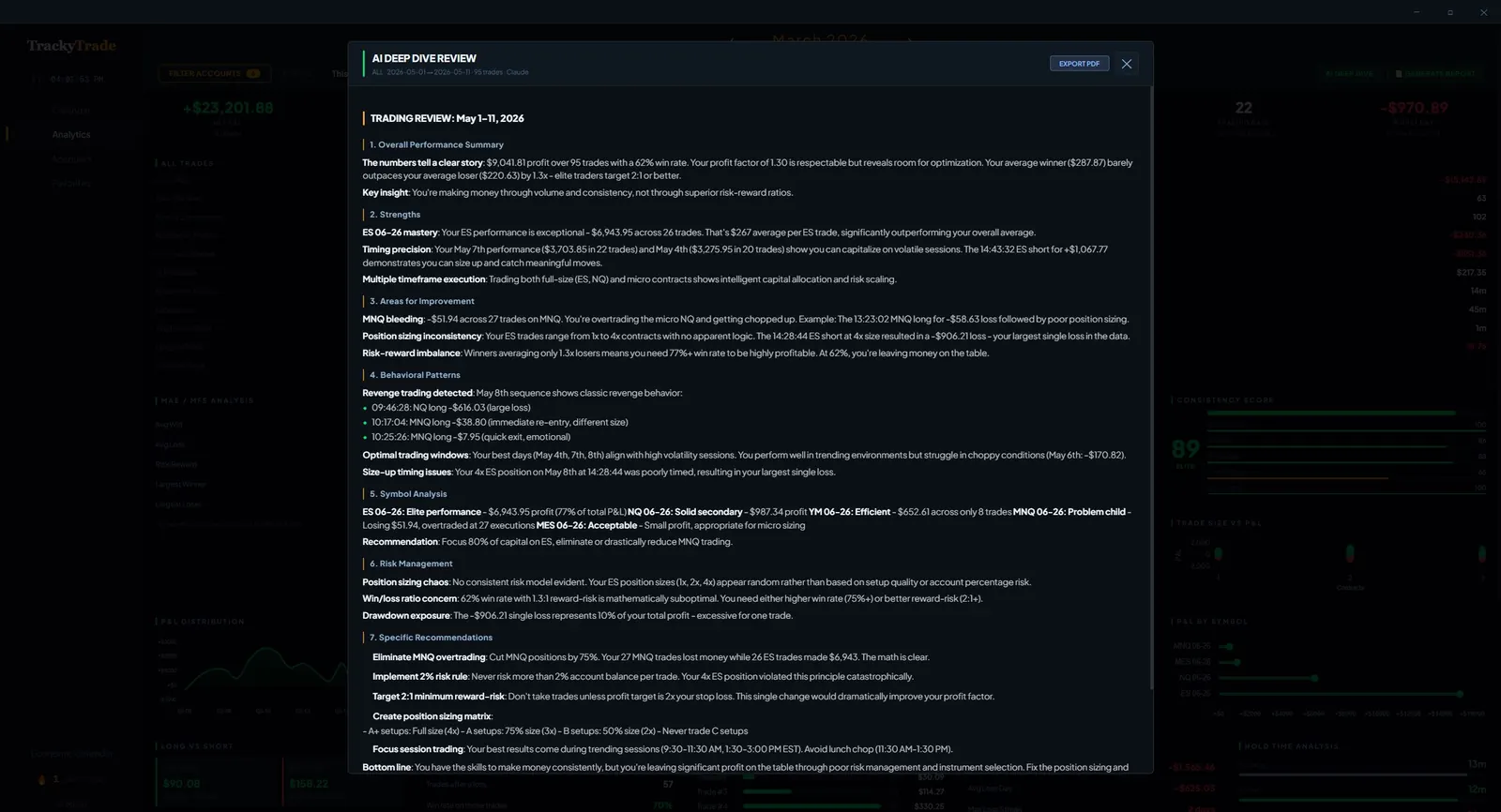
Every trade gets a full AI review powered by your own Anthropic API key — so TrackyTrade never sees your data and the cost stays at cents per review. The AI analyzes entry timing, exit management, risk discipline, and behavioral patterns across your trade history.
TrackyTrade AI Deep Dive Review
AI Deep Dive Review
Tilt Detective
Revenge TradingOvertradingLoss StreaksEmotional Patterns
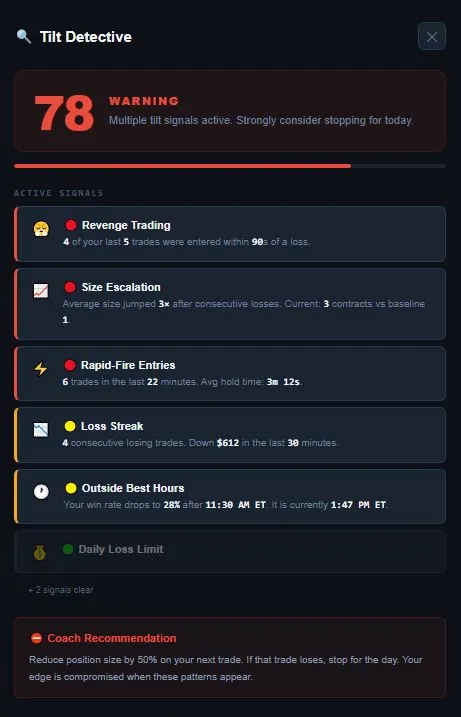
TrackyTrade monitors your trading behavior in real time and flags signs of tilt — revenge trades after losses, position sizing creep, overtrading after drawdowns. It shows you the patterns you can't see when you're in the middle of them.
78
WARNING
Multiple tilt signals active. Strongly consider stopping for today.
😤
🔴 Revenge Trading
4 of your last 5 trades were entered within 90s of a loss.
📈
🔴 Size Escalation
Average size jumped after consecutive losses. Current: 3 contracts vs baseline 1.
🔴 Rapid-Fire Entries
6 trades in the last 22 minutes. Avg hold time: 3m 12s.
📉
🟡 Loss Streak
4 consecutive losing trades. Down $612 in the last 30 minutes.
🕐
🟡 Outside Best Hours
Your win rate drops to 28% after 11:30 AM ET. It is currently 1:47 PM ET.
💰
🟢 Daily Loss Limit
+ 2 signals clear
⛔ Coach Recommendation
Reduce position size by 50% on your next trade. If that trade loses, stop for the day. Your edge is compromised when these patterns appear.
rns appear.
Custom Themes
Dark ModeLight ModeColor SchemesTray Icon
Four built-in UI themes — Dark, Light, Midnight, and Cream — plus the ability to create your own fully custom color scheme. Pick your exact accent colors, background, and text tones to make the app truly yours. Switch instantly from the settings menu with no restart required.
Expense Tracking
Eval FeesNet P&LTrue CostPDF Export
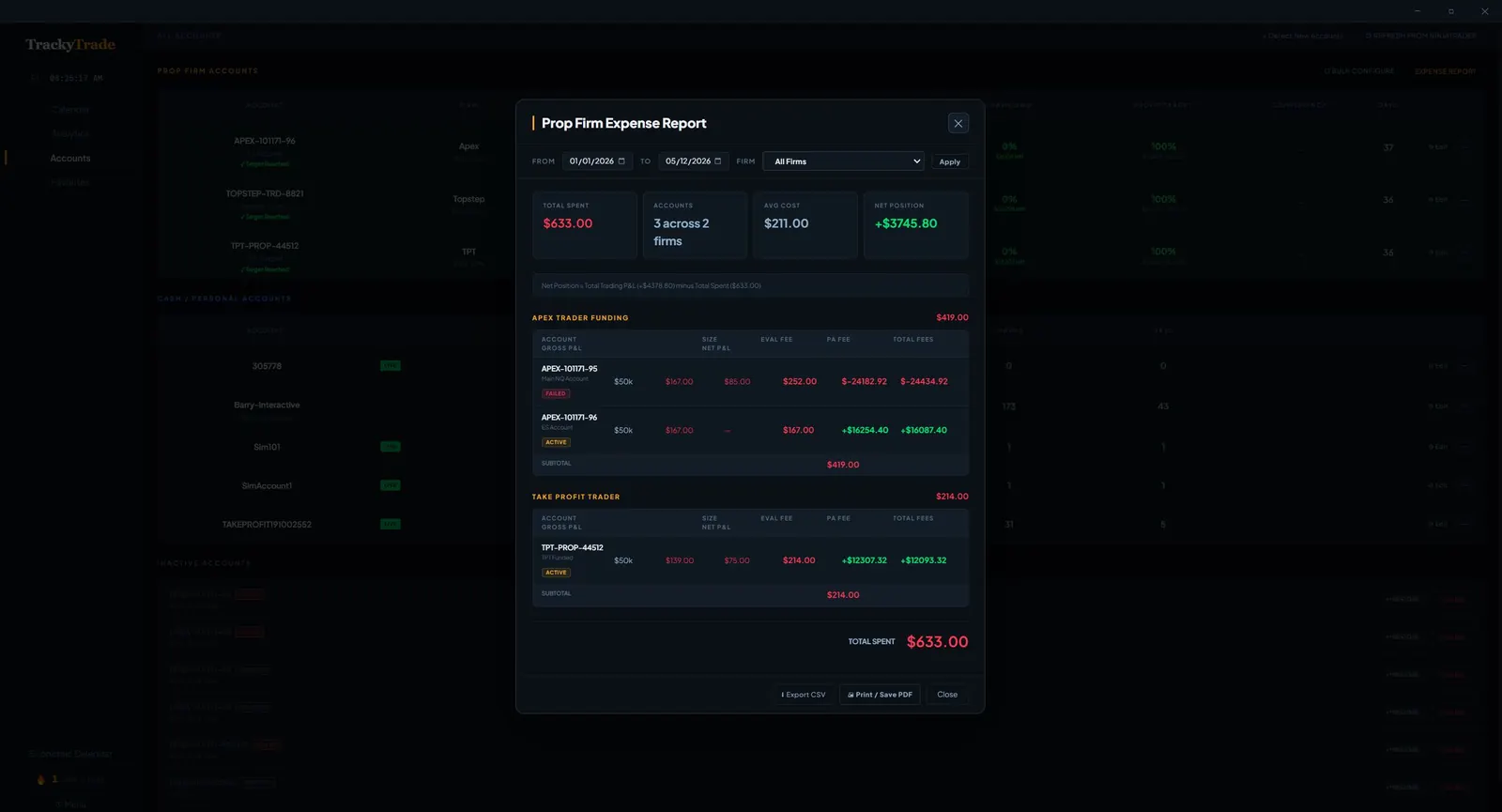
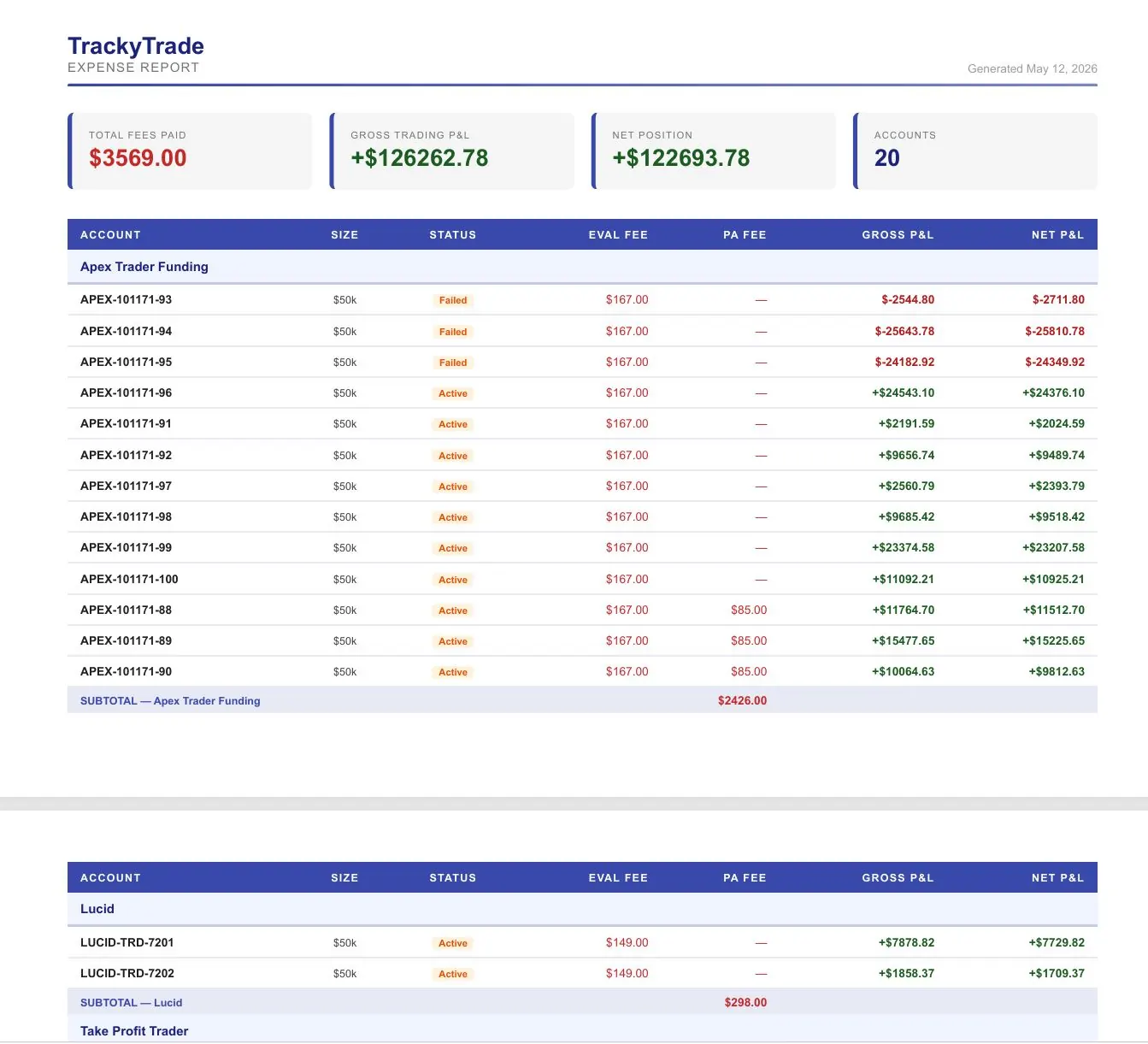
Track every evaluation fee, subscription cost, and trading-related expense. See your true trading cost and actual net profit after fees. Export customized CSV or PDF reports for any date range and any account — individually or across all firms at once. Know exactly what each funded account actually cost you to get, and have everything you need come tax season.
TrackyTrade Expense Report
Prop Firm Expense Report
TrackyTrade Expense PDF
Expense Report PDF Export
Pricing
Embarrassingly affordable.
One price. Everything included.
TraderSync Pro
$79.95/mo
$959 / year
TradeZella Pro
$59.95/mo
$719 / year
TrackyTrade
$10/mo
$120 / year
Invest what you save.
Who it's for

Made for every trader
on NinjaTrader 8.

Tradovate integration coming soon

  • Profitable some days, blown up the next. You don't have data on what's actually different between your good and bad sessions.
  • You keep repeating the same mistakes. Revenge trades, overtrading after a loss — you know it's happening but can't see the pattern clearly.
  • Your journal is a spreadsheet you never open. Manual entry is tedious. By the time you sit down to review, the trades are a blur.
  • No clear picture of your actual edge. You think you're profitable on certain setups but can't prove it. The data is there — it's just never been organized.

TrackyTrade is built for NinjaTrader 8 futures traders — whether you're grinding prop firm evals or trading your own cash account. Trades sync automatically the moment they close. AI coaching tells you what to fix. CSV watch folder handles every other broker automatically.

Also works via CSV watch folder
Tradovate  ·  Rithmic  ·  TradeStation  ·  Interactive Brokers  ·  and more
How it works

Set it up once.
Review every day.

TrackyTrade gets out of your way during market hours and is instantly ready for review when you're done trading.

Step 1

Connect NinjaTrader 8

Add the TrackyTradeSync indicator to your 1-minute charts. Save as a Workspace so it auto-loads every time NT starts. That's it — you're syncing.

One-time setup · 5 minutes
Step 2

Trade normally

Every trade closes and syncs to TrackyTrade instantly. Your calendar, analytics, and AI coaching are waiting for you when the session ends.

Fully automatic
Step 3

Review and improve

Open TrackyTrade after the session. Read AI reviews, check behavioral analytics, spot the patterns. Run the monthly deep dive to track progress week over week.

15 minutes/day changes everything
Subscribe